1
Upload your scanned PDF
Upload a scanned or image-based PDF file.
Select, copy, and move any area in a scanned PDF.
No OCR. No layout damage. Works directly in your browser.
Privacy by default
Your PDF stays in your browser while you edit. EditScanPDF does not store uploaded PDF files, page contents, or exported documents on our servers.
Use Cases
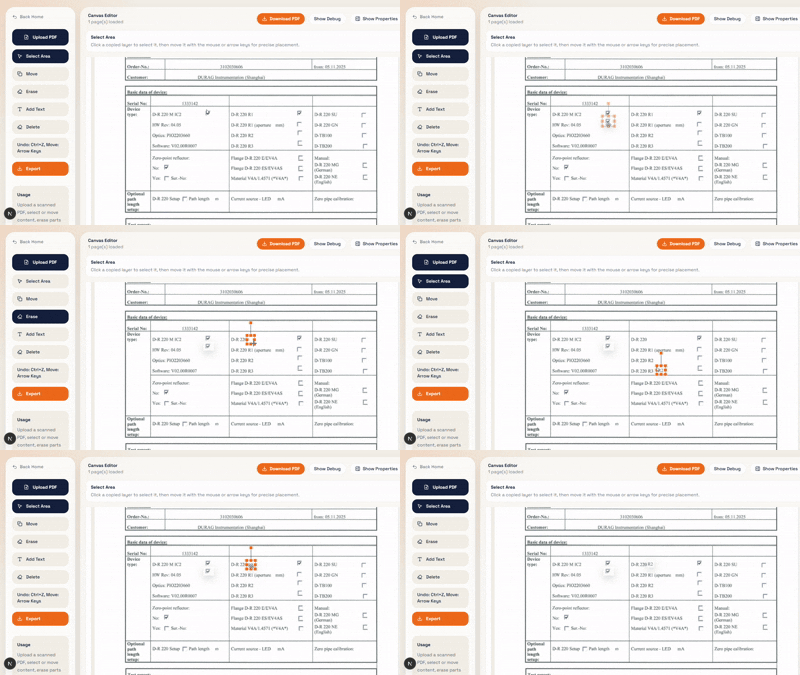
Demo
Just drag to select an area, copy it, and move it anywhere in the document. Perfect for editing numbers, dates, and small text in scanned documents.
How It Works
1
Upload a scanned or image-based PDF file.
2
Drag a rectangle to select any part of the page.
3
Copy the selected area and place it anywhere. Perfect for fixing numbers, dates, or labels.
4
Download your edited PDF instantly. No layout changes.
Features
Works with image-based PDFs that normal editors can't modify.
No OCR reconstruction. Your document layout stays exactly the same.
Edit scanned PDFs visually, just like using Photoshop.
Use Cases
CTA